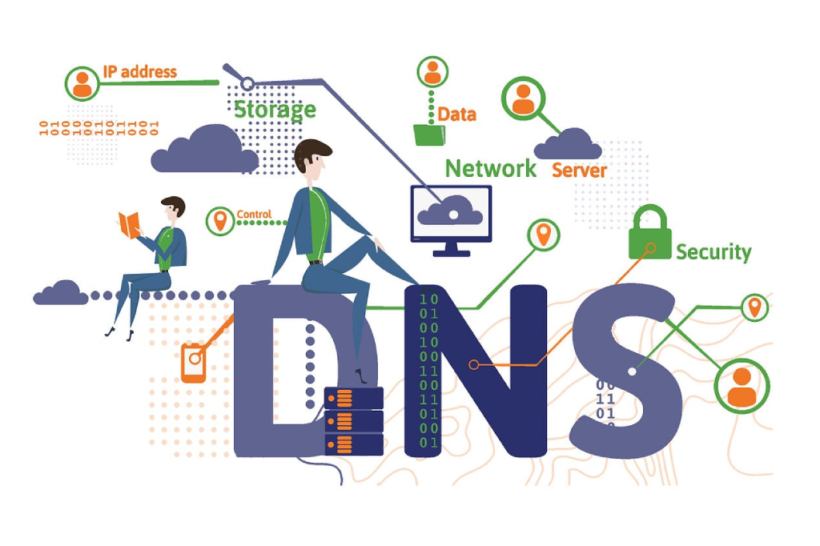
The Domain Name System (DNS) is a critical part of how the Internet functions, yet it operates quietly behind the scenes. Simply put, DNS acts as the internet’s phonebook, connecting human-readable domain names like softwarehoop.com to their corresponding IP addresses. The Domain Name System is the system that allows you to easily visit websites using simple names, rather than having to memorise long sequences of numbers.
In this comprehensive guide, we will explore what DNS stands for, how DNS works, the various types of DNS records, and the differences between free DNS and paid DNS services. Plus, we’ll discuss nameservers, CNAME records, and other critical DNS elements. Understanding what the Domain Name Service does is crucial to optimising your website’s performance and security.
What Is the Domain Name System (DNS)?
The Domain Name System (DNS) is often described as the phonebook of the Internet, but it’s much more than that. DNS translates human-readable domain names, such as softwarehoop.com, into machine-readable IP addresses (e.g., 192.124.249.166). This process is essential for the functionality of the internet because it allows users to access websites without needing to remember complex numerical IP addresses.
So, what is DNS, exactly? Simply put, it’s a system that maps domain names to their corresponding IP addresses, making it easier for us to navigate the web. Without DNS, you would need to memorise the IP address of every website you want to visit, making the internet much less user-friendly.
How Does the Domain Name System Work?
The process of how DNS works involves a series of steps that occur when you try to visit a website. Let’s break down the basic workflow of a DNS query:
-
Step 1: The User Enters a Domain Name
When you type www.softwarehoop.com into your browser and hit Enter, your computer starts searching for the associated IP address. The DNS system will begin the process of resolving the domain name. -
Step 2: Local DNS Cache
The first step in DNS resolution is checking the local DNS cache on your device. If the domain was recently visited, the corresponding IP address might be stored in the cache. This allows for quicker access as the DNS query ends here. -
Step 3: Requesting Information from the Local DNS Server
If the required DNS record isn’t cached, your device sends a query to your ISP’s DNS server. This is the resolving nameserver, which will attempt to find the IP address associated with softwarehoop.com. -
Step 4: Querying the Root Nameserver
If the local server doesn’t have the information, the request is forwarded to a root nameserver. The root nameserver directs the query to a top-level domain (TLD) nameserver that knows which server handles the domain’s information. -
Step 5: Finding the Authoritative Nameserver
The TLD nameserver then points to the authoritative nameserver, which is the server that holds the actual DNS records, including the IP address for softwarehoop.com. -
Step 6: Returning the DNS Record
Once the authoritative nameserver provides the IP address, your computer can connect to the website. The DNS lookup process completes, and you’re able to view the website. The DNS record is also cached on your device for future use.
What Are DNS Records?
When you register a domain name, it is associated with various DNS records. These records define how the DNS system connects the domain to its services (like websites or email). The most common DNS records include:
-
A Record (Address Record): The A record maps a domain name to an IPv4 address (e.g., 192.124.249.166). This is the most common type of DNS record, responsible for connecting domain names to their respective web servers.
-
CNAME Record (Canonical Name Record): The CNAME record is used to alias one domain to another. For example, you might set up www.example.com to point to example.com. Instead of changing the domain’s IP address, the CNAME points the browser to another domain.
-
MX Record (Mail Exchange Record): MX records specify the mail servers responsible for receiving emails for a given domain. This is crucial for email routing and ensures that emails sent to your-domain.com are directed to the correct mail servers.
-
TXT Record (Text Record): TXT records are used to store text information, often for security purposes. This includes SPF (Sender Policy Framework) records and DKIM (DomainKeys Identified Mail) records, which help secure email communication.
Free vs. Paid DNS Services
One of the most important decisions website owners need to make is whether to use free DNS or paid DNS services. Here, we’ll explore the differences between these options.
Free DNS Services
Many domain registrars and web hosts provide free DNS services. For smaller websites and blogs, these services are typically sufficient, as they offer reliable DNS resolution without additional costs. For example, Cloudflare offers a free DNS service that is fast and secure, though it may have limited advanced features.
Paid DNS Services
For businesses or high-traffic websites, paid DNS services are often the better choice. These services offer improved DNS resolution speeds, greater security features (like DNSSEC), guaranteed uptime, geographic traffic redirection, and DDoS protection. Paid services like Amazon Route 53 or Google Cloud DNS offer enhanced performance for large websites with global audiences.
Nameservers: What Are They and How Do They Work?
Nameservers are an essential part of the Domain Name System. They are servers that store DNS records for domain names and respond to DNS queries by providing the appropriate IP address. When you register a domain, the nameservers for that domain are set to the default servers provided by your domain registrar or web hosting provider.
For example, if your website is hosted with Bluehost, the nameservers for your domain may look like this:
-
NS1.bluehost.com
-
NS2.bluehost.com
You can also configure custom nameservers if you want more control over your DNS settings. This is especially useful if you are hosting your website with a third-party provider or running a large-scale site that requires specific configurations.
Changing Your DNS Settings
One of the key advantages of using the Domain Name System is that it allows you to change hosting providers without altering your domain name. This is done by updating your nameservers or DNS records.
To change your DNS settings, follow these general steps:
-
Log in to your domain registrar account (e.g., Domain.com, GoDaddy, Bluehost).
-
Navigate to the DNS settings or nameservers section.
-
Select the domain you want to modify and edit the nameservers or DNS records.
-
Save the changes and wait for the DNS changes to propagate (this can take anywhere from a few minutes to 48 hours).
DNS Security
As important as performance is, DNS security is also vital. A compromised DNS can lead to DNS spoofing or cache poisoning, which can direct users to malicious websites.
To improve the security of your DNS setup, consider implementing DNSSEC (Domain Name System Security Extensions), which adds a layer of protection against these types of attacks. This ensures that the DNS information returned to your website is authentic and hasn’t been tampered with.
Conclusion: Why Understanding DNS is Important for Your Website
The Domain Name System (DNS) is an essential part of how the Internet works. It enables users to navigate the web by converting domain names into IP addresses, making it easier to access websites. By understanding how DNS works, what DNS stands for, and how to manage your DNS records, you can improve your website’s performance and security.
Whether you’re configuring MX records for email, setting up a CNAME record for domain aliasing, or optimising DNS settings for faster load times, mastering the Domain Name System is crucial for any website owner.
At Softwarehoop, we help clients manage and optimise their DNS settings to ensure faster website performance, increased security, and improved reliability. Understanding DNS is essential for any business looking to establish a strong and secure online presence.
If you’re ready to optimise your domain name system or want to learn more about what DNS stands for and how it works, get in touch with us today! We offer expert advice and tailored solutions to help you succeed online.